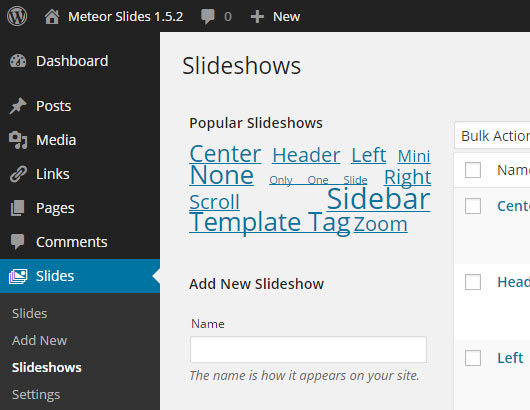
Slides can be organized into slideshows, just as posts can be organized into categories.
Add New Slideshow
Go to Slides -> Slideshows to create new slideshows or edit existing ones.
Add Slide to Slideshow
To add a slide to a slideshow, edit that slide, and select the slideshow in the Slideshows metabox.
Adding a specific Slideshow
By adding a slideshow parameter to a template tag, shortcode, or widget, you can load a specific slideshow. The value of the slideshow parameter should be the slideshow’s slug.
Template Tag
Here is the format of the template tag:
<?php if ( function_exists( 'meteor_slideshow' ) ) { meteor_slideshow( "slideshow", "metadata" ); } ?>Remember, the value of the slideshow parameter should be the slideshow’s slug. So to load a slideshow with the slug “robots” with no metadata, your tag should look like this:
<?php if ( function_exists( 'meteor_slideshow' ) ) { meteor_slideshow( "robots", "" ); } ?>Shortcode
The shortcode is formatted slightly differently, but uses the same values:
[meteor_slideshow slideshow="slideshow" metadata="metadata"]A shortcode for a slideshow with the slug “robots” with no metadata would look like this:
[meteor_slideshow slideshow="robots"]Widget
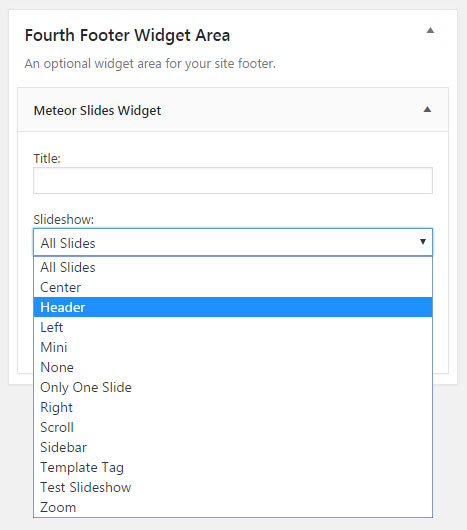
The widget has a “Slideshow” option which can be used to select a slideshow when using multiple slideshows, select “All Slides” to show all slides.
Multiple Slideshows With Different Sizes
Change the size of specific slideshows using metadata, check out this tutorial for more information.